Blog
How to Install Pokémon Mod for TCG Card Shop Simulator: A Complete Guide

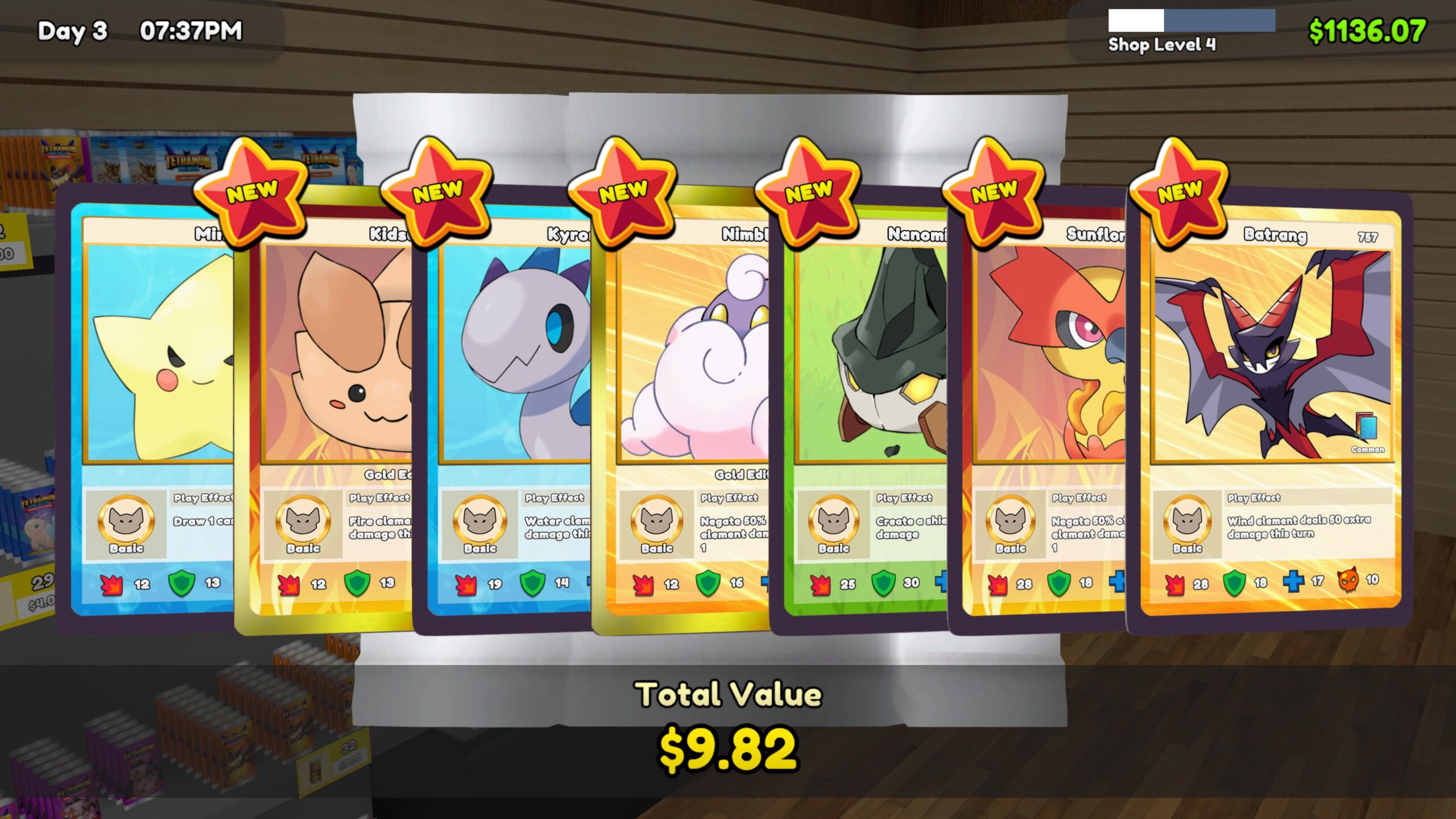
If you love collecting Pokémon cards and enjoy managing your virtual card store, adding a Pokémon mod to TCG Card Shop Simulator can make the game even more exciting. Instead of limiting your shop to the game’s original card themes, Pokémon-inspired mods can introduce new cards, expansions, shop items, textures, accessories, and other collectible content.
But if you are new to PC game modding, you may be wondering: how do you install the Pokémon mod for TCG Card Shop Simulator? The process is easier than it first appears. With the right mod files, dependencies, and installation method, you can transform your virtual card shop into a Pokémon-style trading card business.
This guide explains the process step by step.
What You Need Before Installing a Pokémon Mod
Before downloading anything, check your TCG Card Shop Simulator version and the requirements listed on the specific Pokémon mod page. Mod compatibility can change when the game receives an update, so using a mod designed for a different game branch or version may cause errors.
Many TCG Card Shop Simulator mods use BepInEx, a popular Unity game mod loader. For the standard PC setup, current modding resources point users toward the Mono version of BepInEx 5 rather than automatically choosing the newer BepInEx 6.
You should also consider backing up your save files before installing large content mods. This gives you a safety net if a mod conflicts with another plugin or a future game update.
Method 1: Install the Pokémon Mod With a Mod Manager
For beginners, using Thunderstore Mod Manager or r2modman is generally the easiest approach. These tools can organize profiles, dependencies, BepInEx files, and installed mods in one place. Thunderstore currently lists BepInExPack and r2modman among its supported TCG Card Shop Simulator resources.
Start by installing your preferred mod manager and selecting TCG Card Shop Simulator from the available games. Create a profile, then install the required BepInEx package.
Launch the game through the mod manager once before adding additional plugins. This allows BepInEx to create its required folders and confirms that the basic modding framework is working correctly.
Next, locate the Pokémon mod you want to use. Some projects are complete overhauls, while others focus on card textures, Pokémon expansions, accessories, figurines, shop decorations, or related content.
For example, Real TCG Overhaul is listed as a comprehensive TCG Card Shop Simulator overhaul that adds Pokémon and Yu-Gi-Oh-style cards, custom expansions, texture replacements, and other content.
Download the required files and install them through your chosen manager. Always install any dependencies specified by the mod creator.
Method 2: Manual Pokémon Mod Installation
If you prefer manual mod installation, first install the appropriate BepInEx package into your TCG Card Shop Simulator game directory.
After launching the game once, close it and locate the BepInEx/plugins folder. Plugin files normally need to be placed there, with each plugin kept in the appropriate folder structure.
However, Pokémon content mods can have additional requirements. Some larger Pokémon projects use expansion loaders or asset-replacement tools, meaning you should follow the exact installation instructions provided by the mod author rather than simply copying every ZIP file into the plugins folder.
Common Pokémon Mod Installation Problems
If your Pokémon mod for TCG Card Shop Simulator is not working, don’t panic. Start by checking the game’s version and the mod’s compatibility requirements.
Also verify that:
- BepInEx is installed correctly.
- You launched the game through the mod manager when required.
- Every required dependency is installed.
- Mod files are not buried inside an extra folder.
- You are using compatible versions of all plugins.
- You have not mixed files from different mod versions.
Thunderstore currently separates TCG Card Shop Simulator content into different branches, so compatibility should always be checked before installing an older mod.
Enjoy Your Pokémon-Themed Card Shop
Once everything is installed correctly, you can return to the game and start building a more Pokémon-inspired card shop experience. Depending on the mod, you may be able to collect Pokémon-themed cards, manage new expansions, decorate your store, and expand your virtual inventory.
The key to a smooth TCG Card Shop Simulator Pokémon mod installation is patience: check compatibility first, install the required mod loader, follow the creator’s instructions, and add large content packs carefully.
With the right setup, modding can give your card-shop simulation a completely new feel and make collecting, selling, and managing your virtual TCG business even more engaging.